
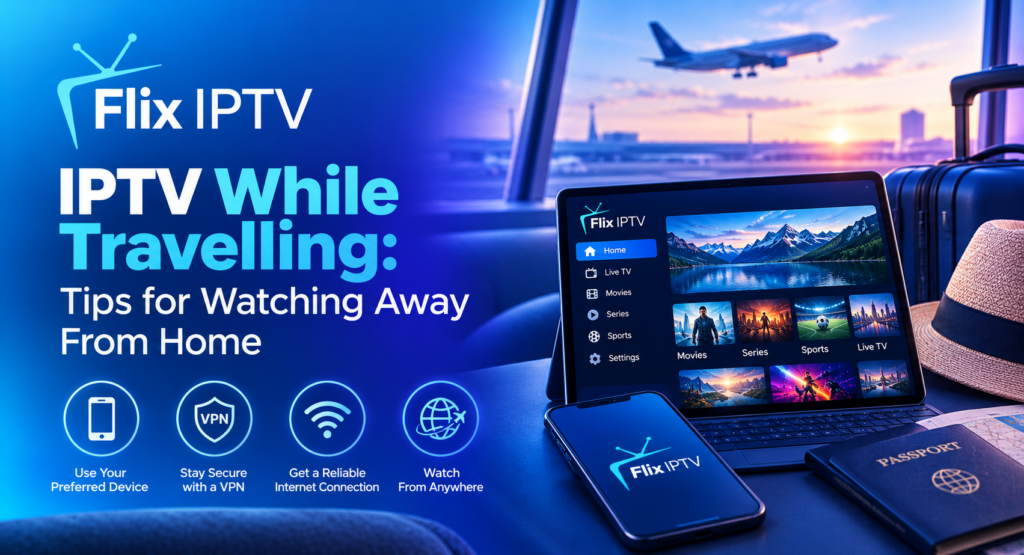
Travelling does not always mean giving up your favourite entertainment. Whether you are staying in a hotel, visiting family or taking a business trip, IPTV while travelling can be a convenient option for watching internet-based television on compatible devices. However, access depends on your provider, internet connection, device compatibility and the rules that apply in your destination.
Before leaving home, it is worth checking your subscription, preparing your streaming device and understanding how to connect securely to unfamiliar networks. This guide explains how to prepare for your trip, watch content on different devices, manage mobile data and solve common streaming problems.
Can You Watch IPTV While Travelling?
Yes, you may be able to watch IPTV while travelling if your service supports your device and location and you have a suitable internet connection. Some services allow access from multiple locations, while others restrict simultaneous connections, supported countries or registered devices.
Check your provider’s terms before travelling. If you are going abroad, confirm whether your subscription is available in your destination and whether any regional restrictions apply. Do not assume that a service available at home will work in every country.
The best way to use IPTV while travelling is to prepare your streaming device, confirm your subscription access and test your internet connection before leaving home.
Your internet connection also matters. Hotel Wi-Fi, mobile hotspots and temporary broadband connections can perform differently from your home network. A compatible device and an active subscription are useful starting points, but neither guarantees uninterrupted playback.
What Do You Need Before Travelling?
Preparing your equipment before departure can save time when you arrive.
Planning ahead makes IPTV while travelling easier because you can check device compatibility, account details and internet options before reaching your destination.
An Active Subscription
Check your subscription expiry date, renewal settings and account details. Make sure you understand how many devices can connect at once and whether your provider permits access outside your home network.
If you need to review your package, visit the Flix IPTV subscription plans page. Confirm the relevant terms and supported devices before travelling.
A Compatible Streaming Device
A smartphone, tablet, laptop or supported Smart TV may be suitable for watching IPTV while travelling. The available options depend on the application and service you use.
If you plan to take a streaming stick or box, check that your destination’s television has the required connection, such as HDMI, and that you can access a compatible power supply. Some hotel televisions may restrict access to external inputs.
A Reliable Internet Connection
You will need an internet connection that can support your chosen video quality. Hotel Wi-Fi may become slower when many guests are online, while mobile data performance can vary with coverage and network congestion.
Check the expected data usage and any limits before streaming over a mobile connection.
Your Login Details
Make sure you know how to sign in before leaving home. Store your credentials securely and avoid relying on an unfamiliar device to recover your account.
Never send passwords or verification codes to strangers who claim they can activate your service.
How to Watch IPTV While Travelling on Different Devices
The most convenient setup depends on the device you plan to take with you.
Choosing the right device for IPTV while travelling depends on your screen preference, available internet access and the equipment you can conveniently carry.
Watching on a Smartphone or Tablet
A phone or tablet is often a practical option because it is portable and does not require access to a hotel television. Install the compatible application before departure using an official app store, then check that it opens correctly.
When you arrive, connect to a trusted network, sign in and test a channel. If you use mobile data, monitor your usage to avoid unexpected charges or reaching your data allowance.
Watching IPTV while travelling on a portable device is especially useful when you have limited space or do not want to carry extra equipment.
Watching on a Laptop
A laptop can provide a larger screen than a phone and may be easier to use in accommodation. Depending on your provider, you might use a compatible application or supported web-based player.
Update your browser and operating system before travelling. Avoid saving passwords on shared computers, and always sign out if you access your account on a device that belongs to someone else.
Watching on a Hotel Smart TV
Some hotel televisions support compatible streaming applications, while others have limited functionality or restricted settings. Check the available apps and connections before assuming your usual setup will work.
If you use your own streaming device, confirm that the TV allows access to the required HDMI input. You may also need to connect the device to the hotel’s Wi-Fi network, which can sometimes require a browser-based sign-in page.
Casting From Your Phone to a Television
Casting may be an option if both your phone and television support it. However, many casting methods require both devices to be connected to the same Wi-Fi network.
Google explains the requirements in its official guide to casting from a device to Google TV. Check whether your device, application and destination television support the feature before relying on it.
Remember that casting does not automatically make every IPTV application compatible with every television.
How to Use Hotel Wi-Fi for IPTV
Hotel internet can be convenient, but its performance and sign-in process vary between properties.
For IPTV while travelling, always connect to the hotel’s official Wi-Fi network and follow its sign-in instructions before opening your streaming application.
First, connect to the hotel’s official network and follow its instructions. Some hotels require you to accept terms or enter a room number before internet access begins. If your streaming device cannot display the sign-in page, you may need help from hotel staff or another supported connection method.
Once connected, open your application and test playback. If the video loads slowly, try moving closer to the Wi-Fi access point where possible or connecting to a different authorised network offered by the property.
Avoid assuming that a hotel connection is private simply because it requires a room number or password. For practical advice, read the UK’s National Cyber Security Centre guidance on using public Wi-Fi safely. Keep your devices updated and avoid entering sensitive information on suspicious websites.
Can You Watch IPTV While Travelling Using Mobile Data?
Yes, if your service and device support it, mobile data can be an alternative when hotel Wi-Fi is slow or unavailable. Your experience will depend on network coverage, signal strength, video quality and your data allowance.
Before streaming, check your mobile plan for data limits, roaming charges and any restrictions on hotspot use. International roaming can be expensive, so confirm the charges with your mobile provider before travelling abroad.
If you use your phone as a hotspot, protect it with a strong password and disable the hotspot when it is no longer needed. Connecting a second device can use additional data, especially when several people stream simultaneously.
Mobile data can make IPTV while travelling more flexible, but you should check roaming charges, coverage and data limits before streaming.
For longer viewing sessions, connect to a trusted Wi-Fi network where possible and monitor data consumption. Avoid assuming that an unlimited mobile plan includes unlimited high-speed hotspot data.
Tips for Reducing Data Usage While Travelling
If you have a limited data allowance, a few adjustments can help you manage usage.
- Choose a lower video resolution if your application supports it.
- Avoid leaving streams running when you are not watching.
- Check your phone’s data-usage settings regularly.
- Use trusted Wi-Fi when it is available and suitable.
- Disable automatic updates over mobile data if your device provides that option.
- Review roaming rates before streaming in another country.
- Avoid using multiple devices to stream at the same time on a limited connection.
Actual data consumption varies by application, codec, resolution and content. If you have a strict data limit, test your usual viewing habits before relying on mobile data throughout a trip.
Common Problems When Watching IPTV Away From Home
Even a properly configured service can experience issues when you connect from a new location.
If IPTV while travelling stops working, check your connection, confirm your subscription status and verify whether your provider supports access from your current location.
IPTV Will Not Connect to the Service
Check that the device has internet access by opening another trusted website or application. Confirm that your subscription is active and that your provider permits access from your current location.
Some networks use sign-in pages or restrictions that can prevent streaming applications from connecting. If other internet services work but IPTV does not, check the provider’s support guidance.
IPTV Keeps Buffering in a Hotel
Hotel networks may become congested during busy periods. If playback repeatedly pauses, try a lower resolution, reconnect to the authorised Wi-Fi network or test the service at a different time.
For more troubleshooting suggestions, read our guide to fixing IPTV buffering and freezing.
Your Account Shows Too Many Connections
Some subscriptions limit how many devices can stream at once. If you see a connection warning, check whether another device is using your account and review your provider’s simultaneous-connection rules.
Do not assume that travelling automatically increases the number of permitted connections. Contact the provider if you need clarification.
The Application Is Not Available in Your Destination
Application availability can differ by country, device and operating system. Check the official app store and the developer’s compatibility information.
If the application is unavailable, ask your provider about supported alternatives. Do not download unfamiliar installation files from untrusted websites merely to bypass a compatibility issue.
The Service Works at Home but Not Abroad
The provider may restrict international access, or the destination network may block or interfere with some connections. Check the service’s terms and local requirements before trying other methods.
A VPN does not guarantee access and may conflict with a provider’s rules. Confirm what is permitted instead of assuming that changing your connection location will resolve the problem.
Is IPTV While Travelling Available in Every Country?
No. Availability depends on the service, content licensing, destination laws and any geographical restrictions imposed by the provider or content owner.
Before your trip, check whether your subscription permits access in the country you plan to visit. Also confirm that the channels or programmes you want to watch are available there.
If you are travelling for an extended period, ask the provider whether international use is supported and whether your account needs any changes. Using a legitimate service and following its terms can help prevent avoidable access problems.
You can also review the Flix IPTV channel list to explore the advertised channel categories, then confirm actual availability with the provider.
How to Prepare Your IPTV Setup Before Leaving Home
A short checklist can help you avoid last-minute issues.
A simple checklist can make IPTV while travelling more convenient by helping you prepare your device, login details and backup internet options.
- Confirm that your subscription remains active for the duration of the trip.
- Check supported devices and any simultaneous-streaming limits.
- Install required applications from official sources.
- Test your login details on your own device.
- Update your streaming device and applications.
- Check your mobile data and international roaming charges.
- Pack necessary cables, adapters and a streaming device if required.
- Save the provider’s official support details securely.
- Check whether your destination permits access to the service.
- Avoid using untrusted networks or sharing your credentials.
For device-specific preparation, visit our IPTV installation guide. You can also find common answers on our FAQ page.
Frequently Asked Questions
Can I use the same IPTV subscription when travelling?
Possibly. It depends on your provider’s terms, supported locations, device limits and account restrictions. Check these details before leaving home.
Can I watch IPTV in a hotel?
You may be able to watch IPTV using a compatible phone, tablet, laptop or supported streaming device. You will need a suitable internet connection and an application that works with your service.
Does IPTV use a lot of mobile data?
It can. Data usage depends on resolution, stream quality and viewing time. Check your mobile allowance and consider lowering the resolution when using a limited data plan.
Can I watch IPTV abroad?
Some services support international access, while others restrict availability by country or content rights. Confirm the rules with your provider before travelling.
Should I use a VPN while travelling?
A VPN can help protect network traffic in certain situations, but it does not guarantee streaming access or make every service safe. Review local rules, provider terms and the VPN’s privacy practices before using one.
What should I do if IPTV stops working away from home?
Check your internet connection, subscription status, application compatibility and provider restrictions. If the problem continues, contact your service provider through its official support channel.
With the right preparation, IPTV while travelling can offer convenient entertainment on compatible devices, provided your subscription and location support access.
Final Thoughts
Watching IPTV while travelling can be convenient when you prepare your device, confirm your subscription terms and arrange a suitable internet connection. A phone or tablet may be enough for personal viewing, while a compatible streaming device can help when you want to use a larger screen.
Before departure, check international availability, mobile data charges and connection limits. Use trusted networks, keep your software updated and avoid sharing account credentials. These simple preparations can help you enjoy a more reliable viewing experience while away from home.
For further information about device setup and subscriptions, visit the Flix IPTV website or use the official contact page for questions about the service.