
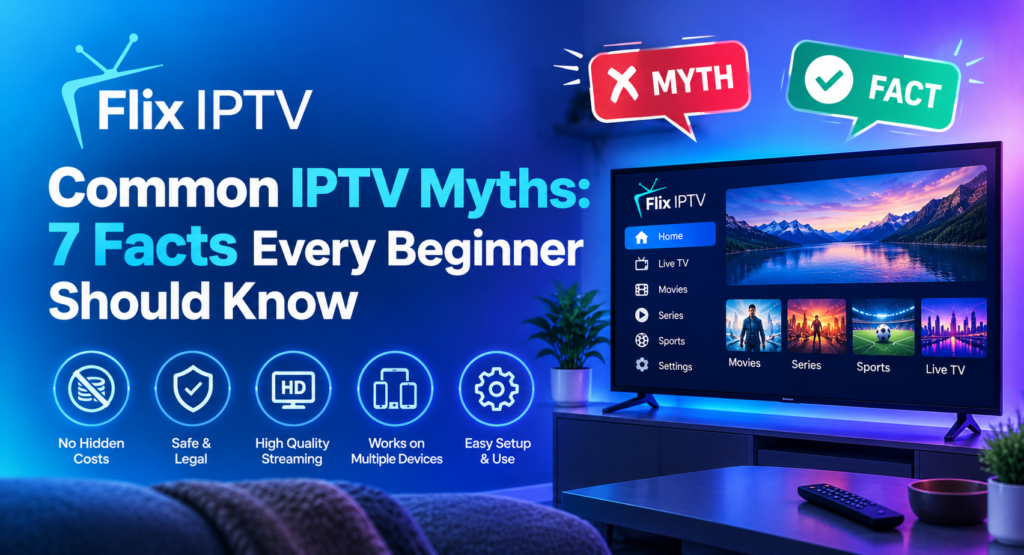
Internet television has changed how people watch live channels and on-demand entertainment. However, many beginners still have questions about how IPTV works, what equipment it requires and whether it is suitable for their homes. Understanding common IPTV myths can help viewers make informed decisions and avoid unrealistic expectations.
IPTV stands for Internet Protocol Television. It delivers television content over internet networks rather than relying exclusively on traditional cable or satellite delivery. The experience depends on several factors, including the streaming service, internet connection, device compatibility and content availability.
In this guide, we explain seven common IPTV myths and separate popular assumptions from practical facts.
What Is IPTV and How Does It Work?
IPTV delivers video content using internet protocol networks. Depending on the service, viewers may be able to watch live television, access on-demand programmes or use other streaming features through compatible devices.
To get started, users typically need a suitable device, a reliable internet connection and access to a service that is authorised to provide the content they want to watch.
If you are new to internet television, visit our IPTV installation guide for setup information and our IPTV channel list to explore channel-related information.
Myth 1: IPTV Always Requires a Smart TV
One of the most common IPTV myths is that viewers must own a smart television. This is not necessarily true.
Many IPTV services and compatible streaming applications can work on supported streaming devices, Android TV devices, smartphones, tablets and computers. Some setups also allow users to connect a compatible streaming device to a regular television through an HDMI port.
However, compatibility varies. Not every application works on every device, and some services require specific software or operating systems.
The fact: You may not need a new television to use IPTV. Check the requirements of your chosen service and device before purchasing additional equipment.
Myth 2: IPTV Works Without an Internet Connection
Because IPTV delivers content over internet networks, a working connection is generally essential for live streaming and online on-demand playback.
Some applications may offer downloaded content or limited offline features, but these options depend on the application and content provider. They should not be confused with normal live IPTV streaming.
Connection quality also matters. A weak Wi-Fi signal, an overloaded network or an unstable internet connection can cause buffering, low resolution and interruptions.
The fact: Most IPTV streaming requires an active internet connection. A stable connection is often more useful than simply choosing the highest advertised internet speed.
If playback keeps stopping, read our guide on how to fix IPTV buffering and freezing.
Myth 3: Every IPTV Service Offers the Same Channels
Another widespread misconception is that every IPTV service provides identical channels and programmes.
In reality, channel selection can vary significantly. Some services focus on particular countries, languages or categories, while others may provide different combinations of live television and on-demand content.
Availability can also change because of licensing agreements, regional restrictions and provider arrangements. A channel advertised by one service may not be available through another.
The fact: Always review the current channel list and verify that the content you want is available in your location. Do not rely solely on promotional claims or screenshots.
You can visit our IPTV channel list page to explore channel-related information before deciding what suits your viewing preferences.
Myth 4: More Channels Always Mean Better Value
A service advertising thousands of channels may sound attractive, but a large number alone does not prove that it offers a better viewing experience.
Some viewers mainly watch local news, sports, documentaries or family entertainment. Others prefer international programming or on-demand content. The most useful service is one that meets your actual needs rather than one that advertises the largest number.
You should also consider streaming reliability, device compatibility, customer support, transparent pricing and the clarity of the subscription terms.
The fact: Compare content quality and usefulness, not just channel quantity. A smaller, relevant selection may provide better value for your household.
Before choosing a plan, review the available options on our IPTV subscription plans page.
Myth 5: IPTV Always Provides Perfect Picture Quality
IPTV can deliver high-quality video, but picture quality is not guaranteed to remain perfect in every situation.
The result depends on the original video source, the stream’s available resolution, the performance of your device and the strength of your internet connection. Network congestion and Wi-Fi interference can also affect playback.
A service advertising high-definition or 4K content does not mean every programme will be available in that resolution. Your television must also support the relevant resolution, and your connection must be capable of delivering the stream reliably.
The fact: Check the actual resolution supported by your device and service. If video quality changes frequently, test your connection and try a wired Ethernet connection when practical.
For more troubleshooting advice, use our IPTV setup and installation resources.
Myth 6: Every IPTV Service Is Legal and Safe
Not all services that use IPTV technology operate in the same way. IPTV is a method of delivering content; the legality of a particular service depends on factors such as its content rights, licences and applicable laws.
A service’s appearance or low price does not prove that it has permission to distribute everything it advertises. Likewise, downloading unknown applications or installing software from untrusted websites can expose devices to security risks.
Before signing up, research the provider, read its terms, check payment and cancellation policies, and look for clear information about the content it offers.
For general online safety advice, consult the Federal Trade Commission’s online security resources. The FBI also provides guidance about risks associated with suspicious streaming devices and unofficial applications through its Internet Crime Complaint Center.
The fact: Verify the service’s legitimacy and use trusted application sources. Do not assume that every IPTV provider is authorised simply because it is available online.
Myth 7: IPTV Is Difficult to Set Up
Some beginners expect IPTV installation to require advanced technical knowledge. In many cases, the process is straightforward when the service supports the user’s device and provides clear instructions.
The usual steps involve checking device compatibility, connecting to the internet, installing an authorised compatible application if needed, and following the service’s activation instructions.
Exact steps differ by device and provider. Some services may require a dedicated application, while others may use a different supported method. Always follow the provider’s official instructions and never share account credentials with unknown parties.
The fact: Setup can be manageable for beginners, but it is important to follow the correct instructions for your specific device.
For step-by-step assistance, visit our IPTV installation guide. If you still have questions, you can also check our frequently asked questions.
More IPTV Myths Beginners Should Understand
Understanding IPTV myths is important when choosing an internet television service. Many IPTV myths come from outdated information, unrealistic advertising or confusion about how streaming technology works. By learning the facts behind IPTV myths, beginners can make better decisions about device compatibility, streaming quality and subscription costs.
One of the most common IPTV myths is that every provider offers the same experience. In reality, services can differ in channel availability, supported devices, streaming reliability and customer support. Another popular belief among IPTV myths is that a faster internet package will automatically eliminate every buffering problem. However, Wi-Fi interference, device performance and server-side issues can also affect playback.
Some IPTV myths suggest that installation is always complicated, while others claim that every IPTV application is safe. Both assumptions can be misleading. Setup depends on your device and service, and users should always download applications from trusted sources and verify that their provider is authorised to distribute its content.
When researching IPTV myths, compare subscription terms, supported channels and device requirements before making a purchase. You can also explore our IPTV installation guide, review available subscription plans and read our troubleshooting advice to understand the practical side of internet television.
Ultimately, knowing the facts behind IPTV myths helps viewers avoid unrealistic expectations and choose a streaming solution that matches their needs. Researching providers carefully is more useful than relying on common IPTV myths or promotional promises.
How to Choose an IPTV Service With Confidence
Now that these IPTV myths have been explained, use the following checklist before making a decision:
- Check compatibility: Confirm that the service supports your television, streaming device or mobile device.
- Review content availability: Look for the channels and programmes you actually want to watch.
- Test your connection: Make sure your home network can support your expected streaming quality.
- Understand the price: Review subscription duration, renewal conditions, additional costs and cancellation terms.
- Check customer support: Look for clear contact information and useful setup documentation.
- Prioritise security: Avoid suspicious downloads and never reuse passwords unnecessarily.
- Verify content rights: Choose a provider that is transparent about its authority to distribute the content it offers.
These practical checks are more useful than relying on exaggerated promises or assumptions about IPTV technology.
Frequently Asked Questions About IPTV Myths
Is IPTV better than cable television?
It depends on your preferences, location, budget and viewing habits. IPTV can offer internet-based access to live and on-demand content, while traditional cable services may provide different equipment, channel packages and support arrangements. Compare the actual services available to you.
Does IPTV use a lot of internet data?
Streaming can consume substantial data, especially at high resolutions. Actual usage depends on video quality, compression, viewing time and the streaming application. If your internet plan has a data cap, check your usage and plan limits.
Can I use IPTV on more than one device?
Some services support multiple devices, but simultaneous streams and device limits vary by subscription. Review the provider’s terms before attempting to use one account across several screens.
Why does IPTV sometimes buffer?
Buffering can result from a weak Wi-Fi signal, network congestion, insufficient available bandwidth, device limitations or problems with the stream itself. Testing another connection and restarting your device can help identify the cause.
Is a free IPTV service always safe?
No. Free access does not automatically mean a service is safe, reliable or authorised to distribute its content. Research the provider and avoid unfamiliar applications that request unnecessary permissions.
Final Thoughts
Understanding common IPTV myths makes it easier to choose a suitable streaming setup without being misled by unrealistic promises. IPTV does not always require a smart television, does not guarantee perfect picture quality and does not provide the same channel selection through every provider.
The best approach is to check device compatibility, review available content, maintain a reliable internet connection and select a service that is transparent about its pricing, security and content rights.
Whether you are exploring internet television for the first time or improving an existing setup, informed decisions can help you enjoy a more reliable and convenient viewing experience. Explore the guides on Flix IPTV to learn more about installation, channels, subscription options and common streaming pr